

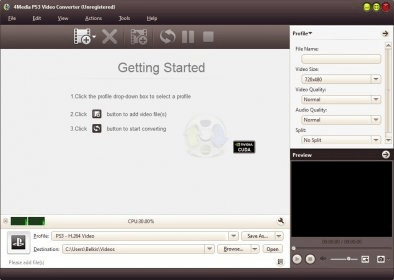
4Media PS3 Video Converter can re-encode video files to make them playable on your PlayStation. You will not have any difficulty to use it as its interface is very intuitive; at the same time having some experience with this type of software can certainly help too.
This tool supports multiple input formats, and, to help you convert file batches, it lets you import complete folders. It has a handy built-in player that lets you watch both the original and the output contents. You may also find that it can be used for full-screen preview very conveniently. As an extra feature, the converter can rip audio CDs. Unfortunately, it does not support any editing function.
Being oriented towards video playback on PlayStation, the application supports such PS-compatible profiles based on such formats as H.264, MPEG, WMV and XviD. Moreover, it can also extract audio from video as either MP3 or M4A. It is good that these presets can be freely personalized according to your specific needs. Then, you can save the changes made or create new profiles for later use. The built-in bitrate calculator can be very useful for this purpose. You will be probably glad to know that you can use individual conversion parameters or even add various output profiles to the same source file. If you are dealing with large files, you can split the resulting ones so that they fit the intended storage capacity or purpose.
To sum up, 4Media PS3 Video Converter is a valuable help when you wish to watch movies on your PlayStation. It is a pity that it supports a narrow range of output profiles and provides no editing functions.





Comments